
August 2026 – Product update
This is Alex, founder & CEO of Vega.
This month, we launched Living story, which automatically keeps the most important client context up to date.
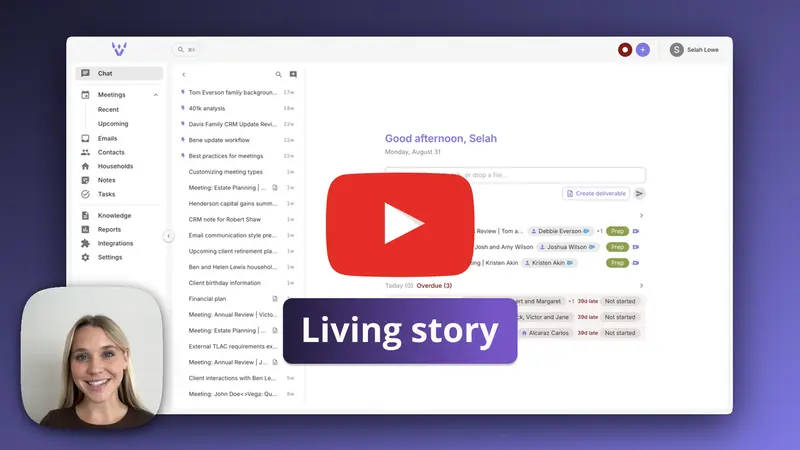
Click to watch our walkthrough video where Selah demonstrates the Living story in action.
The details that actually matter about a client end up:
- buried in a meeting transcript from eight months ago
- mentioned once in an email thread
- written in a note that nobody re-reads
- known by one advisor and nobody else on the team
The result is that preparing for a client conversation means reconstructing the relationship from scratch every time.
This is the problem the Living story solves.
The Living story is a single, continuously updated narrative of who the client is and where the relationship stands.
You don't maintain it. It maintains itself.
The living story in Vega
Every contact and every household in Vega can have a living story.
It is written in plain prose and organized around current state and durable themes, not chronology. It is not a log of what happened, and it is not a summary of your last meeting. It is the answer to the question: what do I need to know about this client before I talk to them?
That typically includes:
- family, professional, and personal context
- financial situation, goals, and stated preferences
- decisions that were made and the reasoning behind them
- open items, concerns, and what the firm has delivered
- how the relationship has evolved
A living story is capped at roughly 1,500 words, so it stays something you can actually read before a call. When a story reaches the cap, Vega compacts the whole narrative as it integrates new information rather than letting it grow.
Facts are dated
Every status, plan, decision, figure, or event in a living story is written with the date it was true (“reconnected Salesforce in August 2026”, not “has now reconnected”; “still open as of August 2026”, not “remains open”). Relative time from the source (“next quarter”, “within two years”) is converted into the actual period it stands for.
This matters because you are not reading the story on the day it was written. Month and year is the usual grain; a day appears only when it matters, such as a deadline or a birth date.
Links back to the source
Where a claim leaves out checkable depth, such as the reasoning behind a decision, the figures discussed, the full conversation, Vega attaches a link to the source it came from. Links are citations, not content: every sentence reads completely with its link removed.
Where to find it
The living story lives on the Activity tab of a contact or household page, next to the activity feed.
For a household, the story covers the household as a whole and is built from the activity of every member. For a contact, it covers that individual.
Both exist independently. A household story is not a merge of its members' stories.
One story for the whole firm
The living story is a single record shared by everyone with access to the contact or household.
That means an email from one advisor's mailbox and a note shared by another both feed the same story that the whole team reads. This is intentional: the point is a shared understanding of the client, not a per-user view.
Access to the record still controls who can see it. If a user cannot open the contact, they cannot see its living story.
Because the story is read by colleagues who may not be able to open the sources behind it, Vega writes it to a deliberate boundary: it keeps what the client would expect any advisor at their firm to know, carries sensitive matters (health, family conflict, legal trouble, a divorce, a death) only at the level of generality the relationship needs, and leaves out anything marked private or off the record, private remarks about the client or colleagues, and identifiers such as account numbers or government IDs.
Getting started: building the story
A living story does not appear on its own. It starts when someone builds it, and this is something you do yourself from the contact or household page.
On a contact or household with no story yet, the Living story card shows a Build living story button. Click it, confirm, and Vega reads up to five years of notes, tasks, emails, and meetings linked to that client and writes the story from what it finds.
The build runs in the background and typically takes a few minutes. The card shows its progress, and the page refreshes on its own when the story lands.
Only a build establishes a living story. The daily run, post-meeting updates, and chat requests all maintain a story that already exists, but none of them will start one. A single meeting or a single chat message is too thin a basis for a whole relationship narrative. If a client has no story yet, build it once and maintenance takes over from there.
Rebuilding
You can rebuild a story at any time from the sparkle icon at the top of the Living story card. A rebuild reads the same five years of history and rewrites the story from scratch.
What triggers an update
There are four ways a living story gets updated.
Based on new emails, CRM notes, and CRM tasks
Once a day, Vega processes the previous 24 hours of notes, tasks, and emails across the firm and updates the stories of every client with material new activity.
This is the main engine. Most stories stay current without anyone doing anything.
Notes and tasks are picked up based on the CRM’s own updated timestamp when the record actually changed in your CRM, not when it happened to land in Vega. This is what keeps a large re-sync of unchanged records from flooding a day’s run while genuinely edited records still get through. For records created in Vega itself, the Vega timestamp is used. Emails are picked up based on when they were sent or received.
Clients with no living story yet are skipped by the daily run. Build the story once and they join it.
Based on your last meeting
When Vega produces a post-meeting summary, the living stories of the contacts and household linked to that meeting are updated right away.
Meetings are deliberately excluded from the daily batch for this reason, so a meeting is never processed twice.
From the Vega chat
You can ask Vega to update a client's profile directly in a chat thread, either by typing or by dictating. To dictate, press and hold the space bar. Read more in our Help Center article: Push-to-Talk (voice agent) .
For example:
"Update Tom Everson's profile: he's retiring in March and wants to revisit the withdrawal strategy before then."
Vega will identify the client, update the living story with what you said, and, for contacts not linked to your CRM, propose updates to relevant profile fields for you to review.
Manually
You can always write or edit a living story yourself.
Click the edit icon in the top right of the living story card, make your changes, and save.
Manual edits are treated like any other version of the story. The next enrichment run reads what you wrote and builds on it, so your corrections carry forward rather than being overwritten and forgotten.
Enrichment beyond the living story
For contacts and households that are not linked to your CRM, enrichment does more than the story: it can also keep structured profile fields current: job title, marital status, financial information, background, and similar fields.
For each field, Vega either:
- updates it directly, when the new information is unambiguous, or
- suggests the change for you to review, when it isn't
For contacts and households that are linked to your CRM, the living story is the only field enrichment writes. Your CRM stays the system of record for structured data, and Vega will not write structured fields behind its back.
Firm-level template
Firms can define the structure living stories follow and this is configurable by your users with admin permissions.
A user with admin permissions can go to Firm > Settings > Client enrichment , where there are two templates: one for contacts and one for households. They are edited like any other rich text in Vega. Clearing a template restores Vega’s default.
The default contact template covers:
- Personal story
- Family and household context
- Advisor relationship and planning arc
- Work, roles, and decision-making
- Recent developments
- Planning priorities (liquidity and cash flow, investments and concentration, debt and liabilities, tax planning, estate and insurance, business or real estate interests)
- Financial snapshot, as assets and liabilities tables
- Preferences, constraints, and open questions
Templates are followed closely: Vega uses their sections, headings, tables, and order, and answers what each one asks for. Where nothing supports a section or a row, it is left out entirely rather than filled with “unknown”, and Vega never invents content to complete one.
Two things are worth knowing. First, a template shapes a story as it is written; on a story that already exists, the edit rule wins, so adding a template does not restructure past stories. To apply a new template to an existing client, rebuild that story. Second, contacts and households can have different templates, and a section can be filled from the client’s structured profile as well as from their activity.
Turning the feature on
Client enrichment is controlled at the firm level, in Firm > Settings > Client enrichment , by a user with admin permissions. It is on by default.
Turning it off hides living stories everywhere in the app. Turning it back on restores what was there.
Where the living story is used
The living story is not just something to read on the contact page. It becomes part of Vega's knowledge of the client, which means it feeds:
- meeting preparation, so prep sheets start from the full relationship, not just the last meeting
- chat answers, when you ask Vega about a client
- email drafts, which are written with the client's context in mind
- client deliverables, which draw on the same profile
In practice, keeping the living story good is how you make everything else Vega produces good.
A useful way to think about it
Activity = what happened
Living story = what it means, and what you need to know now
Activity is complete but unreadable. The living story is readable because it is not complete: it holds what is durable and lets the rest stay in the feed.
A good habit:
- build the story once for each client who matters, nothing maintains a story that does not exist yet
- link meetings, notes, and tasks to the right contact and household. This is what makes enrichment work
- let the daily run and post-meeting updates do the maintenance
- use the Vega chat to capture what happened outside of Vega
- edit the story directly when you want to correct or emphasize something
- rebuild after a new mailbox connection or a template change