
December 2025 – Product update
This is Alex, founder & CEO of Vega.
Over the past month, we’ve shipped a couple of new features and we've met some of you all in person. So I'm including two sections here: Product updates and Meet Vega!
Product updates
At the end of this product section, you’ll also find our updated roadmap, highlighting some powerful capabilities coming soon.
Polish your meeting note using AI
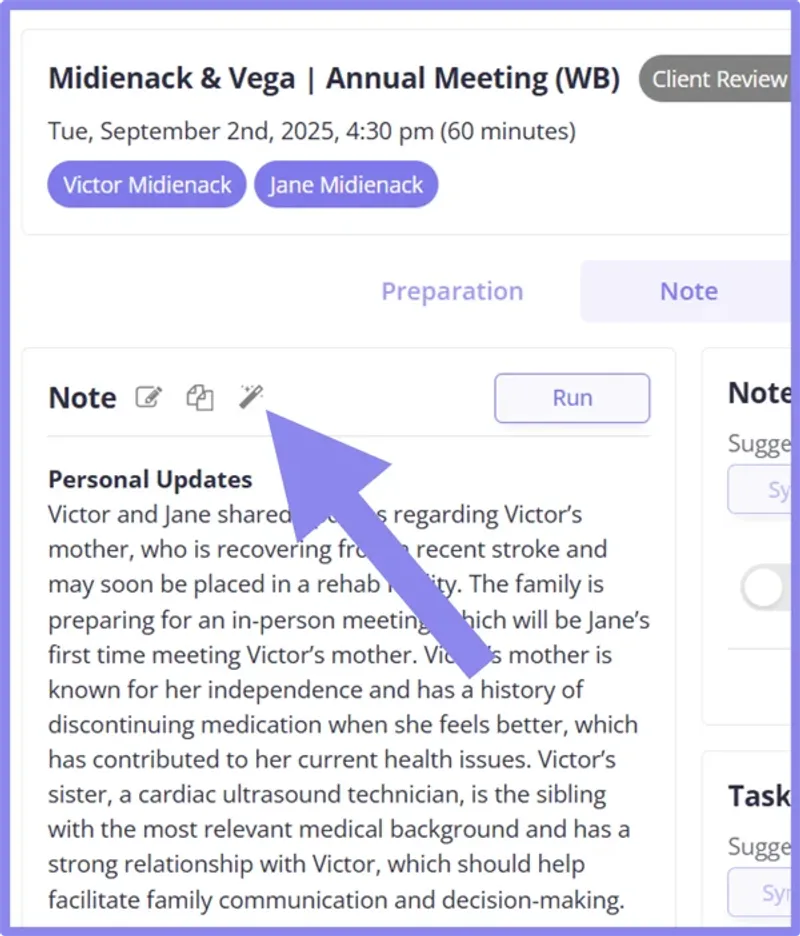
Client meetings carry a huge amount of context. Picture yourself in the middle of one: pen in hand, notebook open. What makes you decide that one comment is worth turning into a bullet point? My assumption is that you’re drawing on everything you already know, on everything you don’t, and you're using years of experience to judge what will matter later and what won’t.
The synaptic activity that goes into that process must be enormous. I know nothing about neurosciences, but I suspect any neuroscientist would agree that AI will always fall short of reproducing it exactly.
And indeed the Vega AI can’t fully replicate that judgment.
It already does a strong job of extracting the key points from a meeting, but turning a 30-page transcript into a 1 or 2 page summary is, by definition, a lossy compression. Some information will always be left out. If there are, say, 30 meaningful highlights in an annual client review, the Vega AI might keep 15 so your note stays digestible.
But only you can decide whether those 15 are the ones you actually care about.
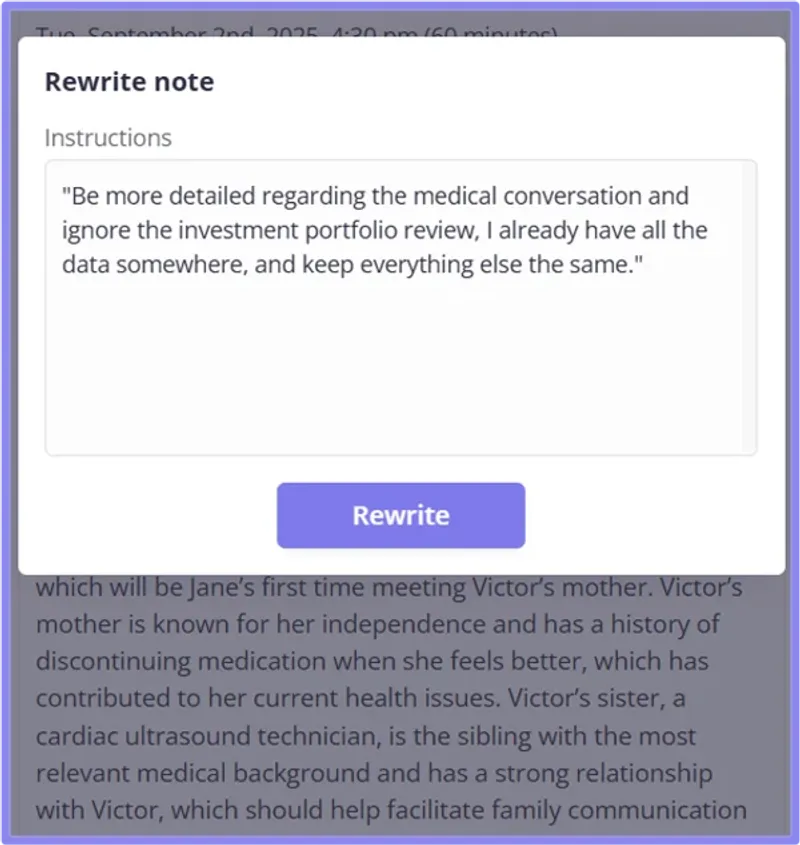
Now you can just tell Vega what you want. Click the magic wand and type something like: “Add more detail to the medical conversation and leave out the investment review. I’ve already got that covered. Keep the rest the same.”
Vega will regenerate your meeting note to match your instructions, and you can sync the updated version to your CRM and kick off your team workflows.
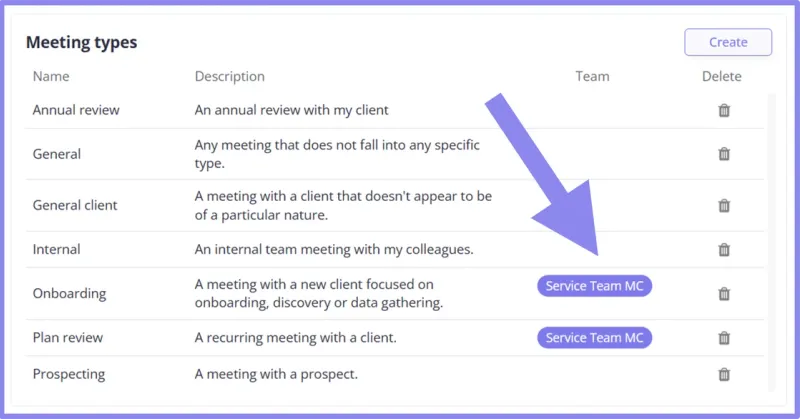
Share your preferred meeting templates with teammates
You can now share your favorite pre-meeting and post-meeting templates with the other members on your team(s). We just updated our Meeting types article in our Help Center to guide you through this process. Here's what you can expect to see once you implement team-level meeting types:
Financial data table
Our meeting assistant can now understand table instructions in your meeting template prompts. Here's one prompt that works well:
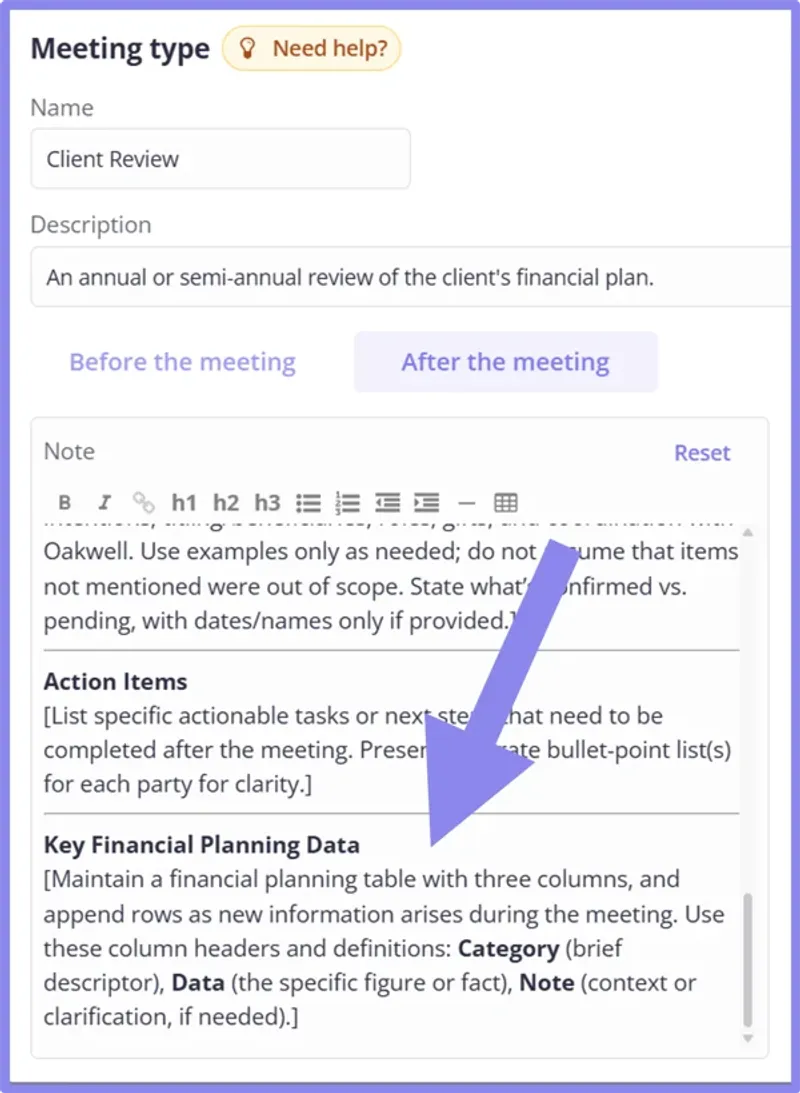
I'm rendering it again below so you can easily copy and paste it into your preferred meeting types:
Key Financial Planning Data
[Maintain a financial planning table with three columns, and append rows as new information arises during the meeting. Use these column headers and definitions: Category (brief descriptor), Data (the specific figure or fact), Note (context or clarification, if needed).]
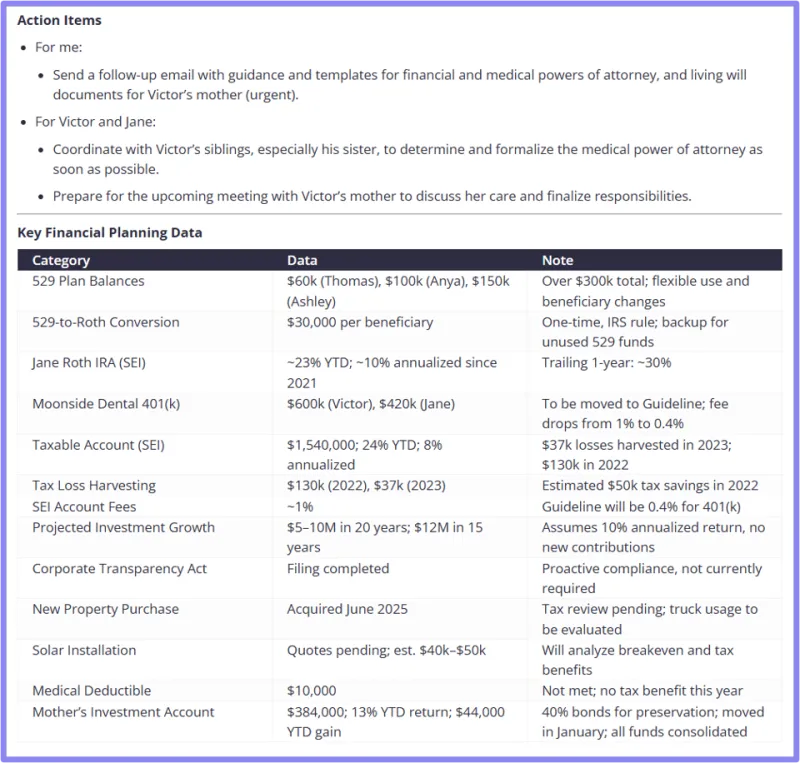
And here's the kind of results you can expect inside your meeting note:
iOS app updates
Enhanced meeting experience
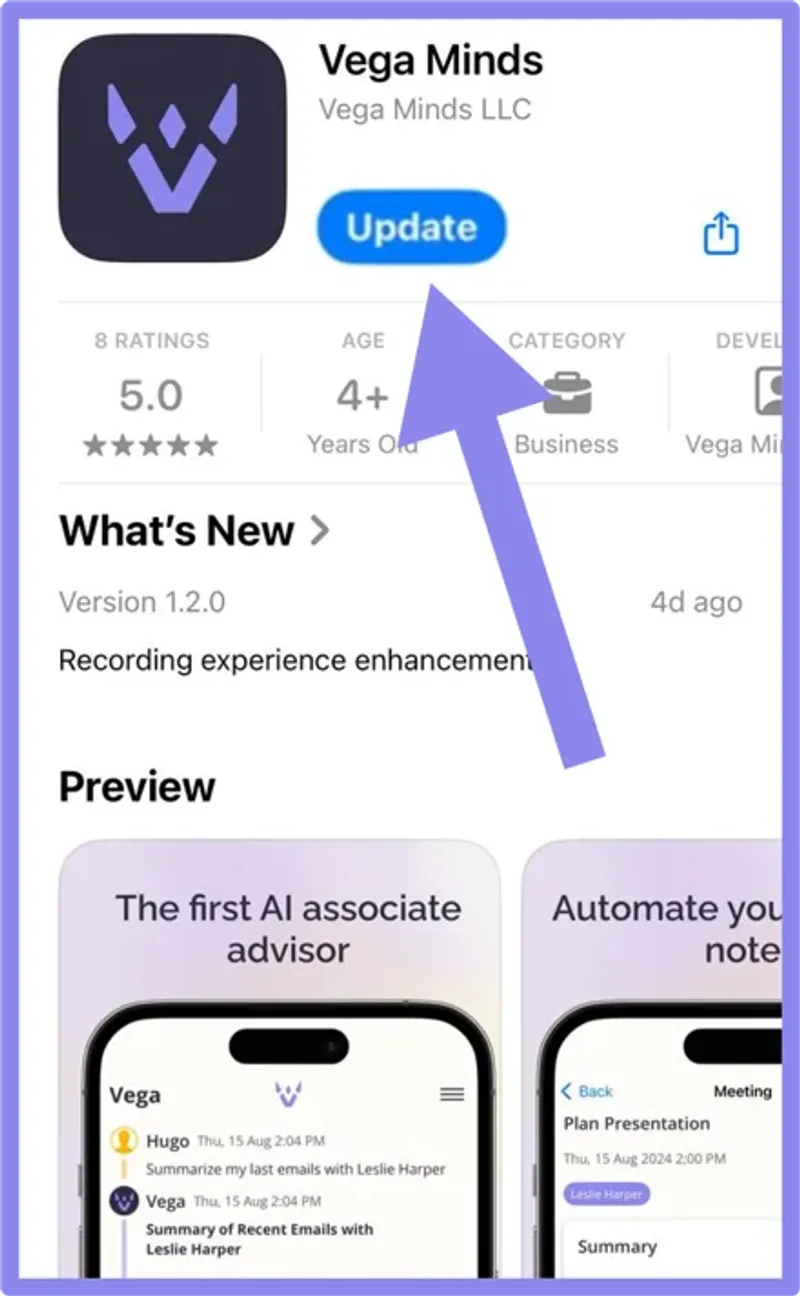
We’ve just released version 1.2.0 of our iOS app. Please take a minute to download the update in the App Store .
1.2.0 includes a few key updates:
- You can now safely record a meeting and submit the audio to Vega even if you don't have a network connection. Vega will temporarily queue them on your local device and process them when you get access to the Internet again.
- We've added confirmation dialog boxes when you navigate during a meeting, for extra safety against misclicks that could stop the recording.
- We've improved the meetings list interface to help locate your live meeting more easily.
Faster chat responses
Your iPhone is now the fastest way to get a chat response. The "Time to First Token" in the iOS app has been reduced by about 80%, and is now only 0.3 second on average.
Single Sign-On (SSO) was released in October
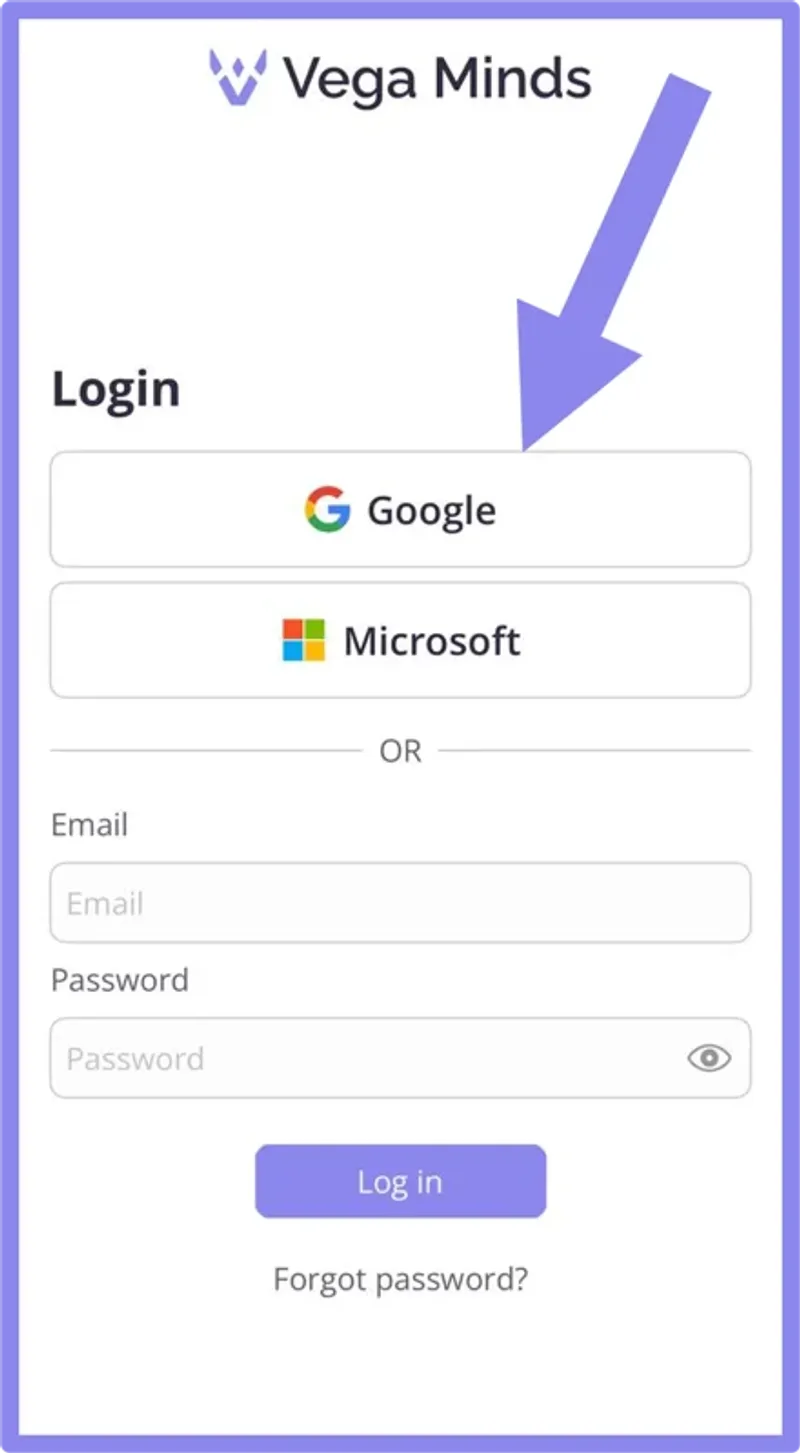
Earlier last month, we had released Single Sign-On (SSO) with Google and Microsoft.
Why it’s better:
- Faster access: Skip the sign-in form and get in with one tap.
- More secure: Your Google or Microsoft account handles authentication with built-in security protections.
- Less hassle: No more password resets or juggling multiple logins.
To try it out, download the app or sign out and tap "Continue with Google" or "Continue with Microsoft" on the login screen.
Short-term roadmap update
Meetings
- We've noticed that a key "moment" in the meeting note cycle is the few minutes when the note is being generated. We will provide an option for the user to give Vega some instructions already, even before they see the final result, and while the conversation is still very fresh, so they don't even need to wait for Vega to be done to give a set of instructions.
- Deeper integration with the Outlook calendar and also scheduling tools like Calendly
- What this means: if you schedule your next client meeting during the current one, Vega will automatically create an Outlook/Calendly invite and you'll just need to confirm by toggling on, similar to tasks.
Chat
As many of you know from these monthly updates, this is the part I’m most excited about. I believe the future of AI for our industry is in a smart, flexible conversational assistant. It's not in a grab bag of disconnected features and endless menus. Our goal is to become the ChatGPT replacement for RIA firms, which means getting close to feature parity with ChatGPT on two key dimensions:
- Threads (as opposed to having a single, long conversation with the Vega AI)
- Threads will allow us to use AI to automatically link new knowledge provided by the advisor via chat to the corresponding household
- Document processing (data extraction and analysis for PDF, Word, and Excel files)
The key differentiator, of course, is that Vega is able to connect the dots about your clients and is truly built for a financial advisor and their team:
- Curated sources for financial planning, financial market, tax, and accounting problems/questions
- Households mentioned in the chat are directly "indexed" by the AI so the knowledge created from past conversations can be retrieved in the future
- Sharing threads across teammates will be possible
Emails
- We'll provide citations for the key sources in the emails Vega drafts
- Vega will become able to read attachments and reason around them
- You'll be able to collaborate with teammates on a specific email thread
Touchpoints
This is more medium term, as it's the toughest build with AI, but Vega will be able to nudge the advisor and suggest very smart touchpoints, such as: "6 months ago your client John Doe told you their son was a huge fan of the Notre Dame Fighting Irish and they're playing in the conference quarterfinals this week-end, you should send John this email I've drafted for you: [note drafted by Vega]" or "The Joneses' trip to Croatia is tomorrow, wish them a safe flight and happy trip!"
Android
Our Android app is coming soon!
Meet Vega
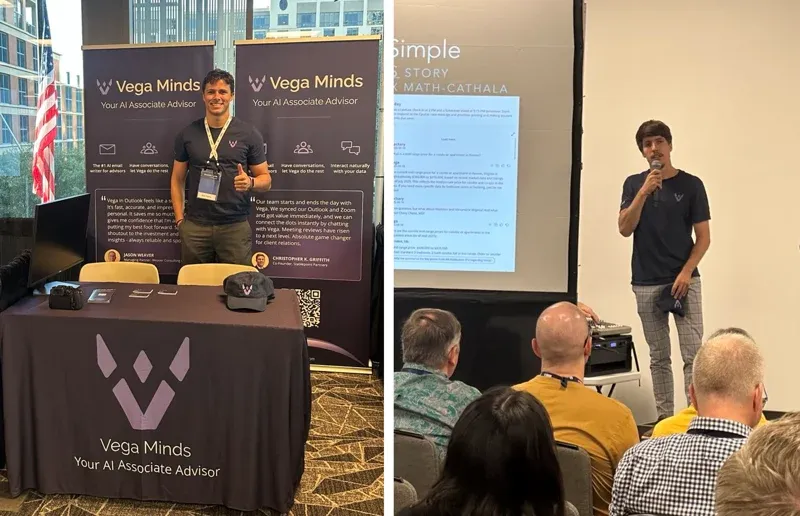
We loved our time at the XY conference last month!
And I can't end this month's update without thanking the whole XYPN community.
In 2023, at the very beginning of our journey, it was not rare that early adopters of our software that had created a trial account during a given week were all XY members. We now have many hundreds of users affiliated with XY and our tool wouldn't be so widely adopted across the industry if it wasn't for the early word of mouth allowed by XY's leadership and members, who opened the door to the most nimble and tech-friendly community of advisors! A big thank you!
It was a great pleasure coming to the conference and presenting Vega again.