January 2026 – Product update
Happy New Year! This is Alex, founder & CEO of Vega.
We’ve shipped a couple of new features in December: new email feature, new mobile app, new integration, and more. Don't hesitate to reply directly to this email with feedback and ideas. Cheers!
Android app
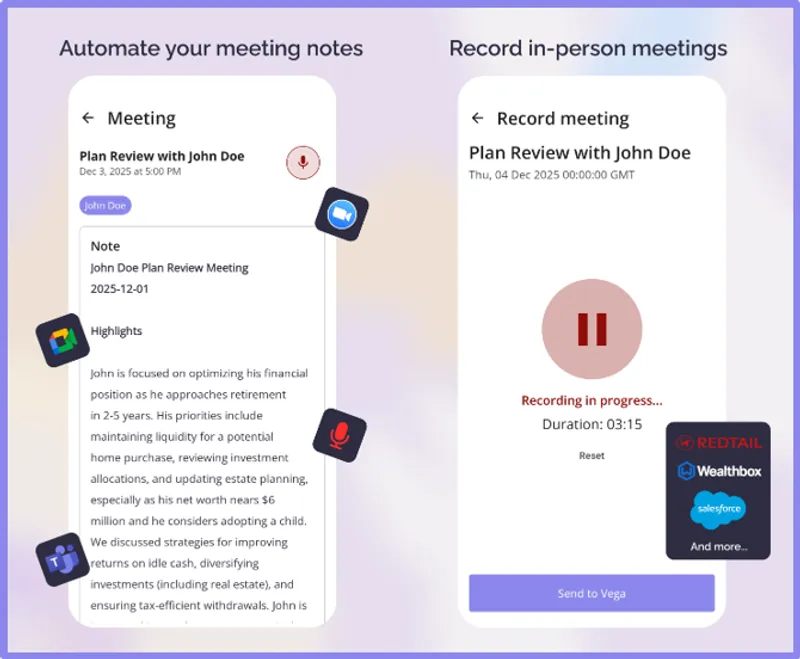
The Vega Android app is out. You can now prepare for meetings and capture notes from a fast native app secured by Google & Microsoft Single-Sign On. Navigate to the Google Play Store or scan the QR code below.
Notetaking bot for external meetings
If you've followed Vega over the past two years, you know that we mainly differentiate from other solutions by firmly opposing notetaking bots.
A bot that joins your meeting room is flawed in three ways:
- Security: A bot only needs your meeting link to join, which is often sitting in your client's inbox. An individual's systems are far more vulnerable than your firm's, opening the door for malicious agents to slip into your waiting room unnoticed.
- Client experience: Notetaking bots take up a third of the space on your meeting interface, making clients feel observed and uneasy with the AI presence.
- Privacy: If your client wanted to start a very confidential conversation in the middle of your planning discussions, you can't simply pause the bot. You'd have to kick them out of the meeting, and lose the notes, or get scrappy ones.
For those reasons, we always recommend you record meetings using the native features of Zoom, Meet and Teams.
However, we've just released the Vega bot for those specific scenarios where no one at your firm is the meeting host (say, when you join a COI's meeting room, a CPA's, an attorney's) and you'd still like to capture notes. You can now click "bot" on your meeting page to schedule/launch your bot (see below).
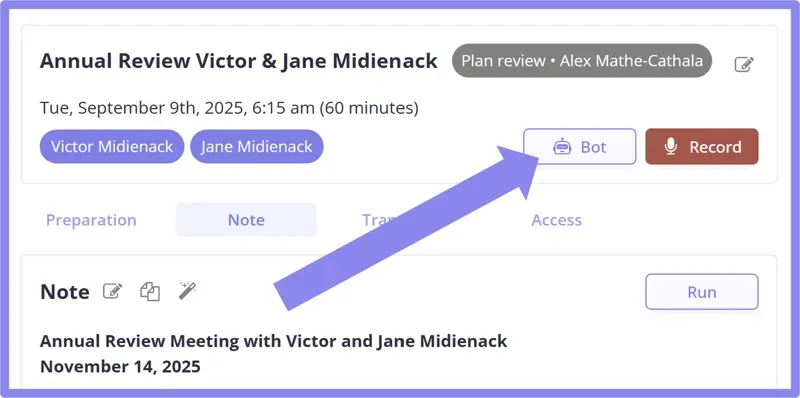
For other settings, such as giving your bot a preferred name or activating auto launch, visit our dedicated Help Center article .
Polish your follow-up email with AI
In the November update newsletter, we announced the meeting notes rewriting feature. Vega can regenerate your meeting notes by matching your instructions in plain English.
In December, we brought the follow-up email rewriting feature on par with the notes. Now, you can just tell Vega what you want in the email if the AI's initial version isn't perfect yet. Click the magic wand and type something like: "Add more detail to the medical conversation and leave out the investment review from the email. Also include my Calendly link so they book the next review."
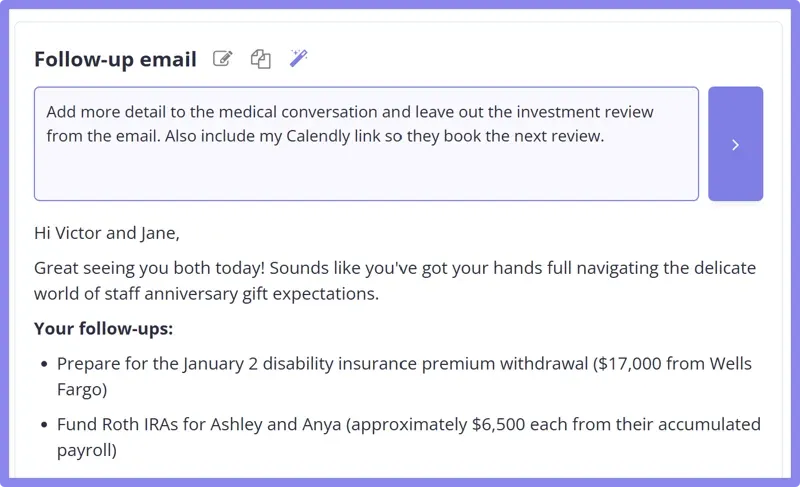
The Vega AI takes all the below into account as it polishes your final version:
- The first version of the email
- The template corresponding to your meeting's type
- The whole meeting transcript
- Your recent emails with the corresponding clients
- Your preferred writing style
Zoom Phone integration
We now integrate with Zoom Phone on top of Zoom Meetings and Zoom Cloud.
When your Zoom Phone call ends, Zoom directly communicates the recording to Vega, and our system generates your note by following your regular workflows: the most appropriate meeting types is automatically selected based on the nature of your interlocutor(s) and the content of the call, the corresponding templates are followed by the meeting notetaker feature and the follow-up email writers, and the usual automations (CRM tasks, contact updates, workflows) are suggested.
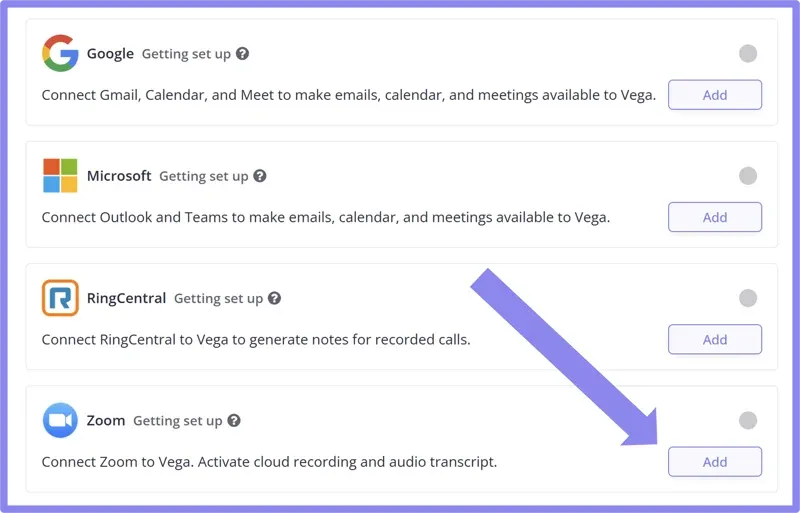
To activate this Zoom option, navigate to your Integrations page in Vega and click "Add" next to Zoom. If you already connected Zoom in the past, make sure you disconnect the integration and click "Add" again so the Zoom Phone scopes are added to your account.
CRM workflows ("business processes")
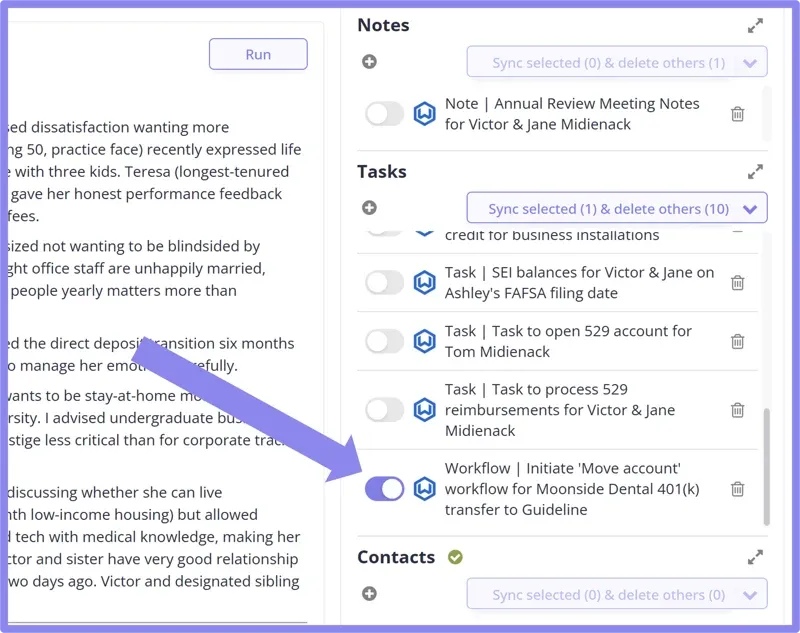
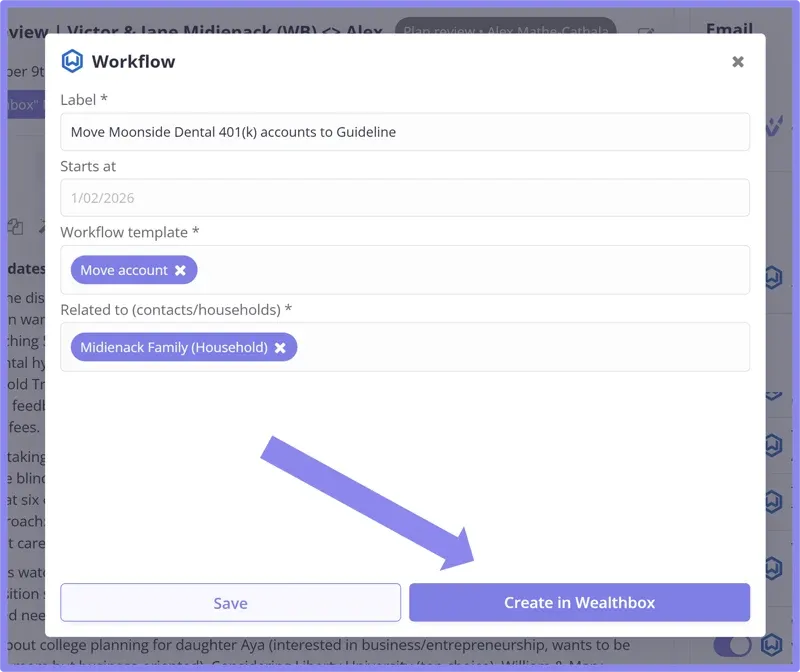
We've accelerated integration of CRM workflows (Wealthbox), CRM task templates (Redtail), and CRM business processes (Salesforce overlays) into our post-meeting and post-email AI suggestions. Reminder:
In Vega, a "suggestion" is the result of an AI analysis triggered by a new event, such as a client meeting, an email from a client, a message, or a form submission. Based on that event, Vega identifies which key data records in your system should be created or updated across your tech stack (CRM, financial planning, portfolio management). It then prepares those updates so that your only remaining step is to review them and click Sync.
After a client meeting or after an email update, Vega will help you seamlessly launch the appropriate internal workflow(s) by pre-populating all fields (contacts, description, owner, custom fields).
Frontier LLMs
GPT 5.1, Gemini 3, and Claude Opus 4.5 are the 3 Large Language Models (LLMs) that were added to the Vega platform in December.
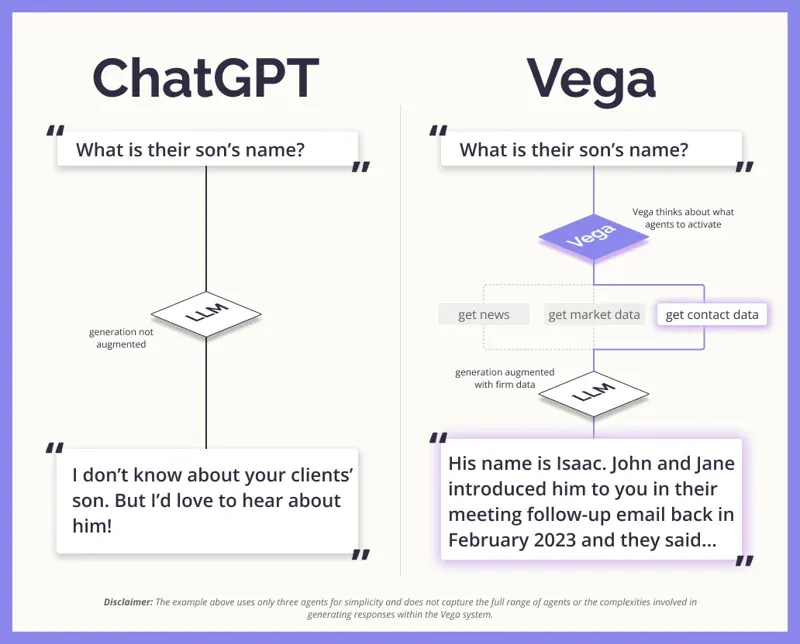
Every month, we run our internal evaluations on the latest frontier models released by the "big labs", and those 3 made the cut in December. Here's a reminder on where LLMs fit in an AI application pipeline, like Vega's:
Usage and integration reports
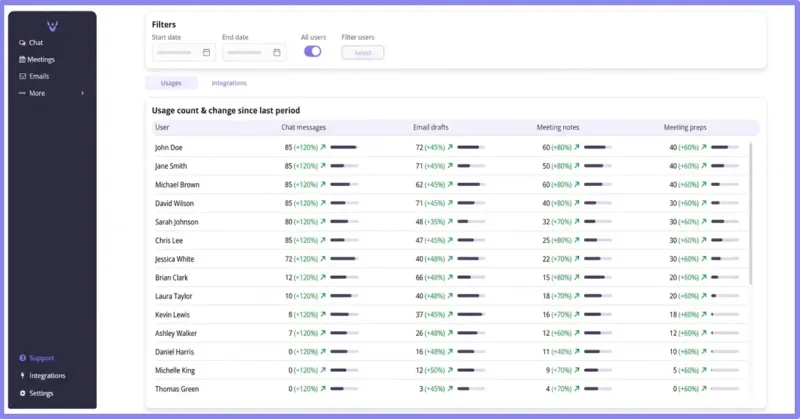
A dynamic usage report across all users at the firm and an integration status report are now available. This is a simple way to see how your team is adopting the Vega AI assistant across chat, email drafts, meeting notes, and meeting prep. Pick a date range (or filter to specific users) and you’ll get per-user usage counts plus the change vs. the previous period, so it’s easy to spot what’s working, where coaching helps, and the impact over time. A compliance report is coming soon, too!
You can find dynamic reports in the platform under More > Reports .